ZUMIMALL
- 4.6
- Rating
- 100.00K
- Installs
- Free
- Price

 Analysis by App-foxy
I spent time with ZUMIMALL as a business-focused home security app, and my impression is that its usefulness depends less on the app alone than on whether you already use compatible ZUMIMALL security products. It is designed to bring those products into one place, so the real question is not simply whether it is a good app, but whether it fits the way you want to monitor and manage your home.
The app is free to install, which makes trying it relatively easy. It comes from Shenzhen Junan Technology Co., Ltd and is listed for Everyone, with support for Android devices running version 6.0 or later. The current version is 6.2.1. Those details make it accessible to people using older Android phones, although I would still keep the operating system updated when possible because security tools are not the place where I like to rely on an outdated device.
How ZUMIMALL fits into a home security setup
ZUMIMALL is best understood as the control point for a wider home security system rather than as a standalone security service. Its store summary describes a collection of security products working with the app. In practical terms, that means the app makes sense when you have, or plan to use, equipment from the same ecosystem.
You May Also Like

 Blood Strike: 2.5 Anniversary
Blood Strike’s Loadouts Turn Every Drop Into a Tactical Gamble
A close look at Blood Strike’s custom loadouts: how fast access to signature weapons reshapes its battle royale rhythm, rewards preparation, and narrows the gap between fights.

 Pandora - Music & Podcasts
Pandora’s Music Is Easy to Start, but Harder to Recover
Pandora’s strength is its low-effort path from a seed to a station. Its weak spot is how much confidence it asks you to place in connection, setup, and quiet recovery.

 8 Ball Pool
8 Ball Pool Is Built on Rivalries, Rematches, and Routine
A close look at the rivalries, rematches, shared routines, and unanswered safety questions that turn a quick pool match into a persistent mobile community.

 Samsung Music
Samsung Music’s Quiet Strength Is Playing What You Already Own
Its reach comes less from spectacle than from dependable access to a personal library. That simplicity is both the app’s strongest retention engine and its ceiling.

 AccuWeather: Weather Radar
AccuWeather Review: A Quick, Clear Forecast for Everyday Decisions
For everyday plans, the best forecast is the one you can understand quickly. AccuWeather makes rain timing, radar, and local conditions easy to act on, with a few trade-offs.

 Hill Climb Racing
Why Hill Climb Racing Still Turns Crashes Into One More Run
A tiny car, a bumpy hill and one more upgrade: Hill Climb Racing keeps resurfacing because its simple chaos makes every near-miss feel personal.
More From Our News Desk



This distinction matters. Someone looking for a general-purpose home monitoring app may expect the application itself to provide protection immediately after installation. That is not how I would approach this product. Its value comes from connecting the app with the relevant ZUMIMALL hardware, then using the phone as the convenient place to check and manage that setup.
I found that approach easier to understand when thinking about everyday routines. For example, imagine leaving home in a hurry and wanting one place to check the security equipment associated with your house. An app built around a product family can be more straightforward than juggling separate tools for separate devices. The trade-off is that the convenience depends on staying within that product family.
The business category is also worth noting. ZUMIMALL is not presented as entertainment or a casual utility; it belongs to the practical side of mobile software, where reliability and clarity matter more than novelty. I would judge it by how quickly I can reach the information I need and how confidently I can use it during a routine check, not by how many decorative options it includes.
What the free installation really means
The app itself is free, but that should not be confused with a completely free home security solution. To get meaningful use from it, you need compatible security products, and those products may involve their own purchase decisions. The listing also shows in-app purchases ranging from $0.99 to $359.99 per item, so I would review each purchase screen carefully before committing to anything.
This is the most important cost distinction: free access to the application can lower the barrier to testing the software, while the complete setup may still require spending on hardware or optional items. I would not describe ZUMIMALL as a no-cost security system. I would describe it as a free companion app whose overall value depends on the equipment and purchases you choose.
That pricing range also makes it difficult to judge value from the installation alone. A small optional purchase and a much larger one represent very different decisions, so I would avoid assuming that every user will pay the same amount. If you are comparing this with another security ecosystem, compare the complete setup rather than just the app’s download price.
The app has an average rating of 4.6 from around 5.5 thousand ratings, with roughly 1.9 thousand written reviews. I see that as a useful sign that many people find it workable, but not as a guarantee that it will suit every phone, product combination, or home routine. Ratings tell me that the app has attracted positive experiences; they do not remove the need to check compatibility and ongoing costs.
Where the app delivers practical value
The strongest idea behind ZUMIMALL is centralization. When security products are spread across unrelated apps, even simple checks can become irritating. A dedicated app for one product ecosystem can reduce that switching, especially for someone who wants a familiar routine instead of a collection of disconnected controls.
I also see value in using a phone as the everyday interface. A mobile device is usually close at hand, so checking the security setup does not require sitting at a computer. That makes the app more suitable for quick moments: before leaving for work, after arriving home, or while away and wondering whether everything is as expected.
One useful habit is to treat the app as part of a repeatable departure routine rather than opening it only when something feels wrong. I would check the relevant devices, confirm that the setup appears normal, and then leave. This does not add a new feature to the app, but it makes the software more valuable because it turns a vague security concern into a simple, repeatable action.
Another non-obvious strength is the possibility of reducing mental load for households that share responsibility. If more than one person needs to understand the security setup, a dedicated app may be easier to explain than a mixture of manufacturer tools. I would still make sure every household member understands what each control does before relying on it, because confusion is a serious weakness in any security workflow.
The app’s installed base is over 100 thousand, which suggests it is not an obscure experiment with no users at all. I would take that as modest reassurance when considering the ecosystem. It is not a reason to buy hardware by itself, but it does make the app feel like a product with an established audience rather than something completely untested.
Small workflow choices that can make a difference
My first practical tip is to test the app at home before depending on it while traveling. Open it during the times you expect to use it, learn where the important controls are, and make sure the phone and your security setup behave as you expect. Discovering a confusing workflow when you are already away is avoidable friction.
My second tip is to separate routine checking from emergency assumptions. A phone app can make monitoring more convenient, but I would not treat a quick screen check as proof that every possible security risk has disappeared. The app should support a broader home safety plan, not replace sensible physical precautions or careful installation.
My third tip is to think about account and device organization before adding more products. Even without inventing specific features, the general principle is clear: a growing security setup becomes harder to understand if devices are given vague names or installed without a consistent layout. I would label and arrange equipment in a way that makes sense to everyone who may use the app.
A fourth consideration is the phone itself. Because this is a mobile control point, access to the phone becomes part of the overall security picture. I would use a screen lock, avoid leaving the device unattended while unlocked, and keep the app and operating system maintained. These are ordinary precautions, but they matter more when the phone is connected to something important at home.
Trade-offs compared with usual alternatives
The main alternative is usually a broader smart-home platform or a different security brand with its own application. Those options may be better if you want one app to combine products from several manufacturers. ZUMIMALL is more appealing when your priority is a focused ecosystem built around its own security products.
A single-brand approach can simplify setup and reduce the number of interfaces you need to learn. The cost is flexibility. If you already own equipment from several brands, adding another dedicated app may create the very fragmentation you are trying to avoid. In that situation, a broader platform could be more convenient, even if its interface is less focused.
I would also compare the purchase structure carefully. Since the app is free but includes item prices from $0.99 to $359.99, the right comparison is not “free app versus paid app.” It is “which complete security ecosystem gives me the equipment, controls, and ongoing value I actually need?” A paid alternative may be better value if it includes the functions or hardware you would otherwise need to buy separately, while a free app may be the sensible choice if it already supports the setup you own.
There is also a learning trade-off. A focused app can feel less overwhelming than a huge smart-home dashboard, but it may not be the best place for users who want lighting, locks, energy controls, cameras, and unrelated devices combined. I would choose ZUMIMALL for a security-centered workflow, not as my first choice for managing an entire connected home.
Who is most likely to get good value
I think ZUMIMALL is most suitable for people who already own compatible ZUMIMALL security products or have deliberately chosen that ecosystem. It can also suit a household that wants a straightforward mobile access point for home security rather than a general smart-home control center.
It may be a reasonable starting point for someone comparing security brands, especially because installing the app does not require an upfront app fee. That lets you inspect the general experience before making larger purchasing decisions. However, I would not buy equipment solely because the app is free. The hardware fit, total cost, and daily workflow should lead the decision.
It is less suitable for someone who wants a completely independent app that works as a full security solution without related products. I would also hesitate to recommend it to a person who strongly prefers mixing brands or already has a mature setup controlled through another platform. In that case, another ecosystem may reduce duplication and make the home easier to manage.
Families should consider shared use before choosing it. If only one person will ever check the system, the decision is simpler. If several people need access, I would first discuss who is responsible for routine checks, who should make changes, and how everyone will respond if something looks unusual. The app can be part of that plan, but it cannot create household agreement by itself.
My final recommendation
After weighing the free installation, the available user feedback, and the ecosystem trade-offs, I see ZUMIMALL as a sensible companion app rather than a universal answer to home security. Its strongest value is convenience for people using the associated product range. The app gives that setup a mobile home and can make regular checks easier to fit into daily life.
I would recommend trying it if you already have compatible equipment, while keeping the purchase range in mind and checking every optional charge carefully. The free download makes evaluation easier, but the meaningful cost comes from the complete setup, not from the app icon on your phone.
I would skip it if your goal is a brand-neutral security dashboard, if you do not want to buy related products, or if another platform already manages your home effectively. In those cases, installing another dedicated app may add more clutter than value.
For the right user, the decision is fairly clear: choose ZUMIMALL when a focused security ecosystem matches your home and your budget. For everyone else, compare the whole ownership experience with broader alternatives before committing. My verdict is cautiously positive, with the important condition that the app earns its place through compatible hardware and a routine you will genuinely use.
FAQs for ZUMIMALL
01What is ZUMIMALL and what can I use it for?
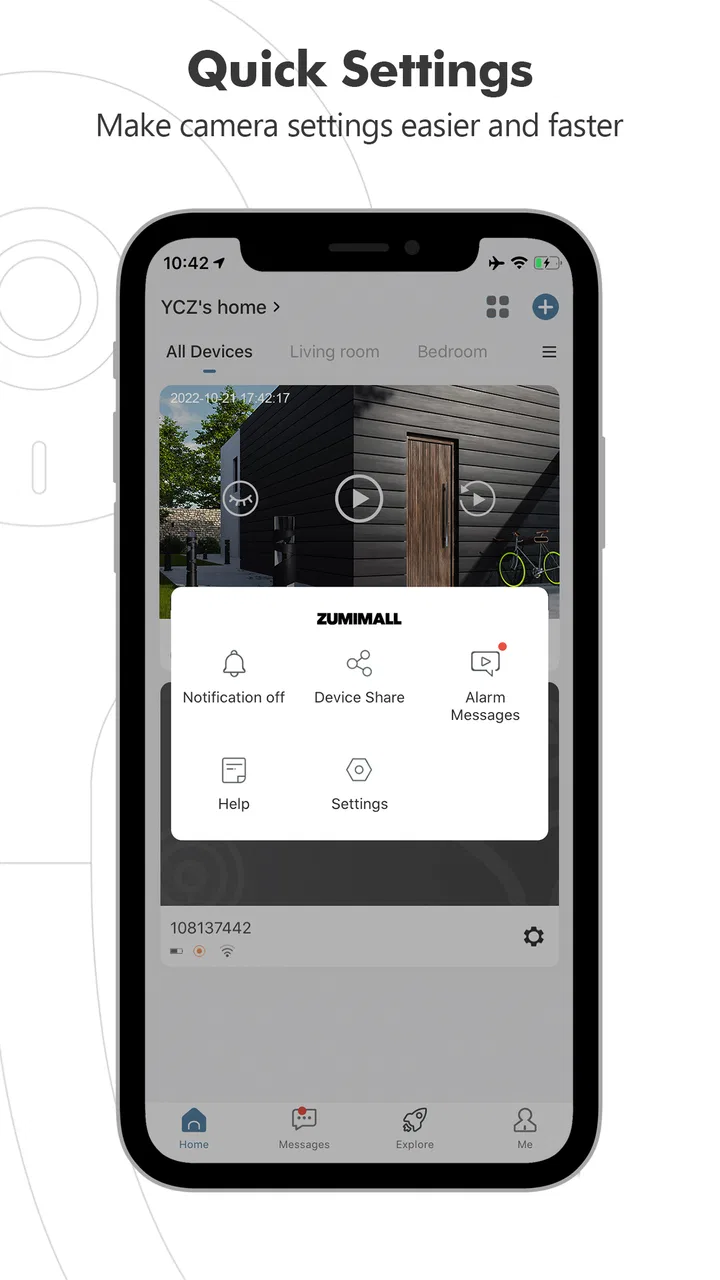
ZUMIMALL is a smart security camera app designed to connect compatible ZUMIMALL cameras to an Android or iOS device. After pairing a camera, you can usually watch live video, review recordings, receive motion alerts, use two-way audio, and adjust basic settings remotely. The exact features depend on the camera model, firmware, storage method, and permissions enabled on your phone.
02How do I connect a ZUMIMALL camera to the app?
To set up a ZUMIMALL camera, install the app, create or sign in to an account, and follow the in-app pairing instructions. Most models require a stable Wi-Fi connection, commonly on a 2.4 GHz network, and may use a QR-code scanning process. Keep the camera near the router during setup, allow Bluetooth or location access if requested, and make sure the camera is reset before pairing it to a new account.
03Does ZUMIMALL require a subscription or cloud storage payment?
ZUMIMALL cameras may support different storage options depending on the model, including local microSD card recording, cloud storage, or both. Basic functions such as live viewing may work without a paid plan, but cloud recording, extended video history, or advanced notifications can require a subscription. Before purchasing a plan, check the storage terms shown in the app and confirm whether your specific camera supports local recording.
04Can I receive motion alerts and view the camera remotely?
Yes, compatible ZUMIMALL cameras can generally send push notifications when motion is detected and let you view the live feed while you are away from home. Reliable alerts depend on the camera being online, the phone having internet access, and notifications being enabled in both the app and system settings. Detection sensitivity, activity zones, schedules, and alert types can usually be adjusted to reduce unnecessary notifications.
05Is ZUMIMALL safe to use, and what permissions does it need?
ZUMIMALL needs certain permissions to provide camera features, such as network access for remote viewing, microphone access for two-way communication, notifications for alerts, and camera or local-network access during setup. Use a strong, unique account password, update the app and camera firmware, and secure your home Wi-Fi. Review privacy and cloud-storage settings carefully, especially if the camera monitors private areas or shared spaces.
Pros
- Simple setup process for compatible ZUMIMALL security cameras.
- Motion alerts help users react quickly to activity around their property.
- Two-way audio enables remote communication through supported cameras.
- Cloud and local storage options provide flexible recording choices.
- Remote live viewing works conveniently for checking cameras while away.
Cons
- Some advanced features may require a paid cloud subscription.
- Performance depends heavily on camera placement and network quality.
- Notifications can become excessive in areas with frequent movement.
- Compatibility is limited to supported ZUMIMALL camera models.
- Privacy concerns may arise when using cloud-based video storage.

ZUMIMALL
Gallery